Settings and setup
Where each kind of setting lives in zaentrum. It follows the design system's settings and setup pattern: every setting has exactly one place where it is changed.
| Kind | Where | Who changes it |
|---|---|---|
| A person's preferences, such as language | Each app's own settings today; one place in the account menu is planned | Each person |
| The platform: apps, spaces, tiles, people | Settings: registry and people | Admins |
| How an addon is installed | Settings → registry → addons: the values of its chart. The operator applies them and may restart the addon (ADR-0011) | Admins |
| An addon's own setup | Inside the addon, reached from its setup checklist (ADR-0010) | Admins |
An addon's setup checklist
Section titled “An addon's setup checklist”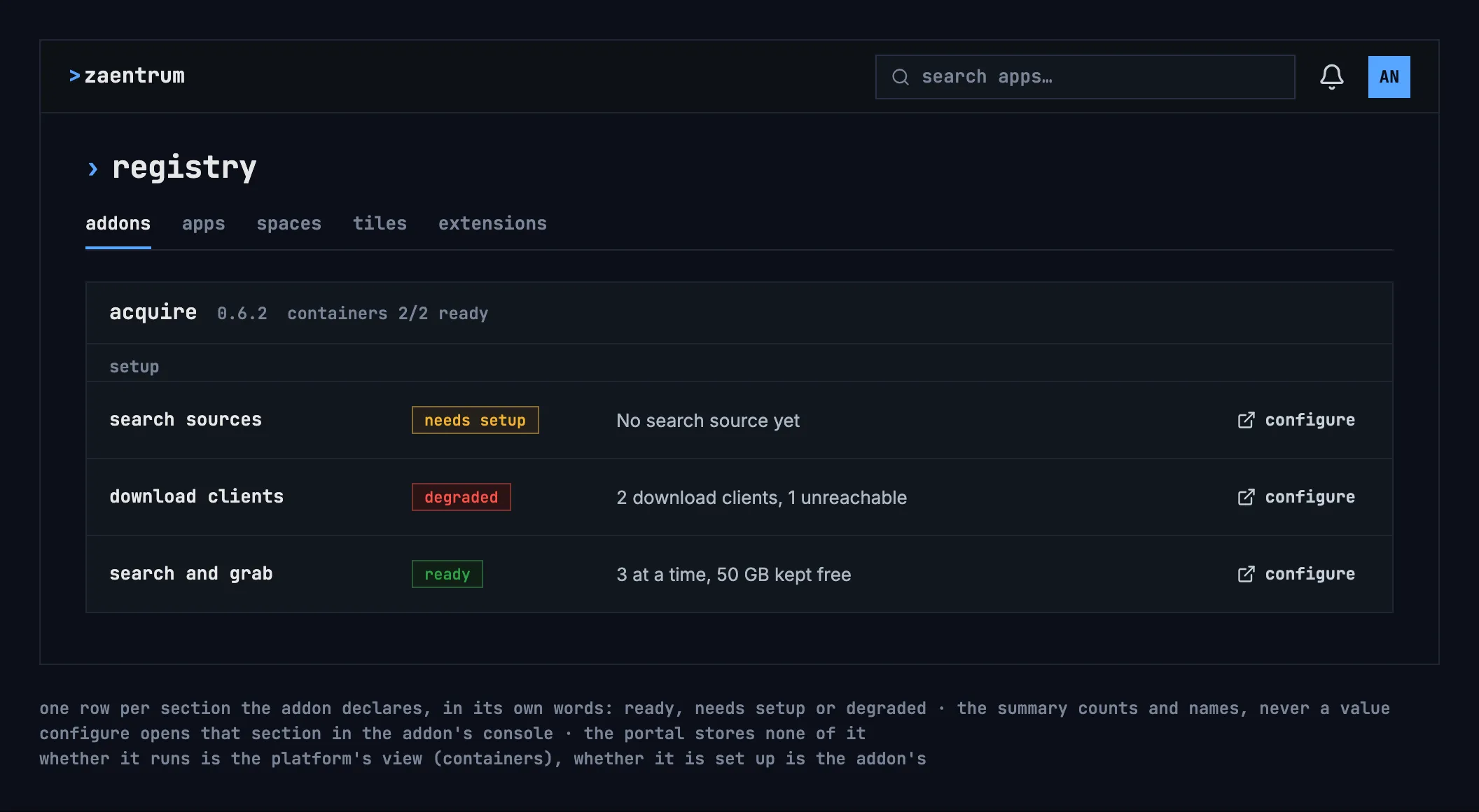
- One row for each setup section the addon declares, with its state in the addon's own words: ready, needs setup or degraded.
- The summary counts and names; it never shows a value or a password: “2 download clients, 1 unreachable”.
- “configure” opens that section inside the addon's own console, the only place it is changed.
- The portal stores none of it: the checklist asks the addon each time it is shown, with the admin's own sign-in (ADR-0010).
- Whether the addon runs is the platform's view, its containers; whether it is set up is the addon's. A section isn't “ready” while the part it needs is down.
First run
Section titled “First run”Until an admin marks the platform as set up, the home page shows a first-run checklist above the tiles, to admins only.